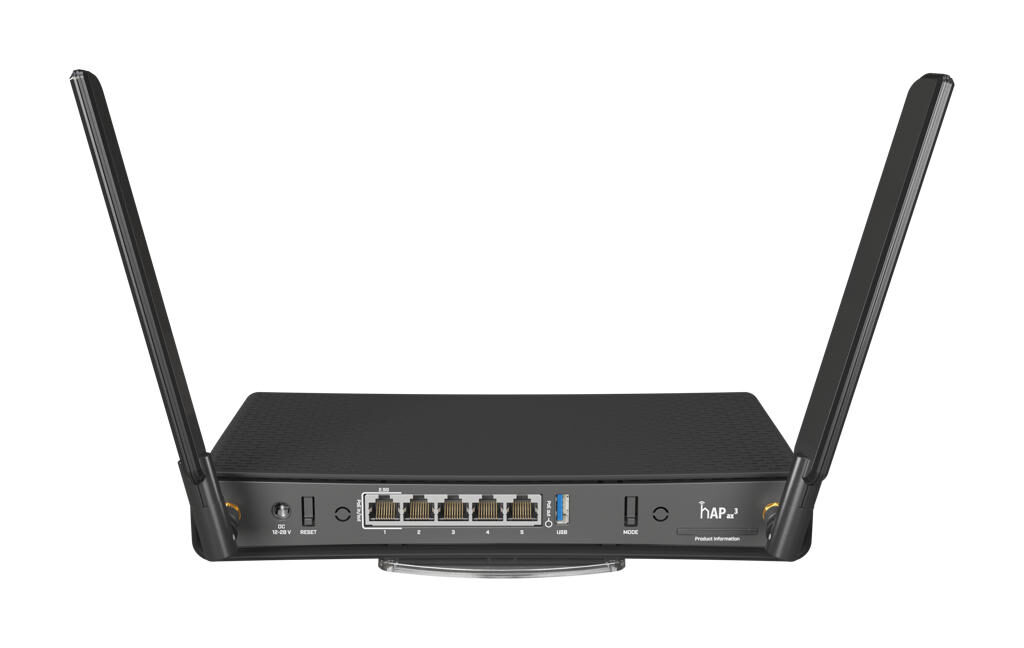
The SimRush AX3 is the latest in our line of AX enabled devices, it is an indoor wireless controller / router for your network.
It is pre-configured out of the box and managed through the SimRush web portal SPanel.
To get online, simply plug in your SimRush Outdoor unit (ODU) as instructed below.
ℹ️ The ODU 5G requires an external Power Source, See ODU 5G guides for further details
Instructions:
Make sure you follow the following steps to get online.
- Connect one end of the ethernet cable to Ethernet Port 1 ( Highlighted in GREEN )
- For a ODU 5G setup you would need to connect the ethernet cable to the supplied 48v Power pack, then an additional cable to the outdoor unit (ODU).
- Connect the Controller to the power adaptor supplied (24v 1.2a DC)
- Connect your PC to the LAN ( Highlighted in ORANGE )
- Ethernet port 2, 3 or 4
- Wireless – Default wireless is “SimRush-xxxxxx” and the Serial number as the password, e.g AABBCC112233 – Serial number is located on the box or back of the controller, all characters before the “/123”
- To make changes to the LAN address or Wireless settings, please visit SPanel:

5. (OPTIONAL) Connect your alternative broadband to utilise the built-in Load-Balancing feature, connect Ethernet Port 5 (Highlighted in RED) to your alternative broadband network.
ℹ️ Please ensure your alternative broadband router is providing the following network via DHCP:
Gateway: 192.168.1.1 , Subnet: 255.255.255.0
Cable Guide
Outdoor unit may vary from that of image, but the port to connect the ethernet cable in remains the same.
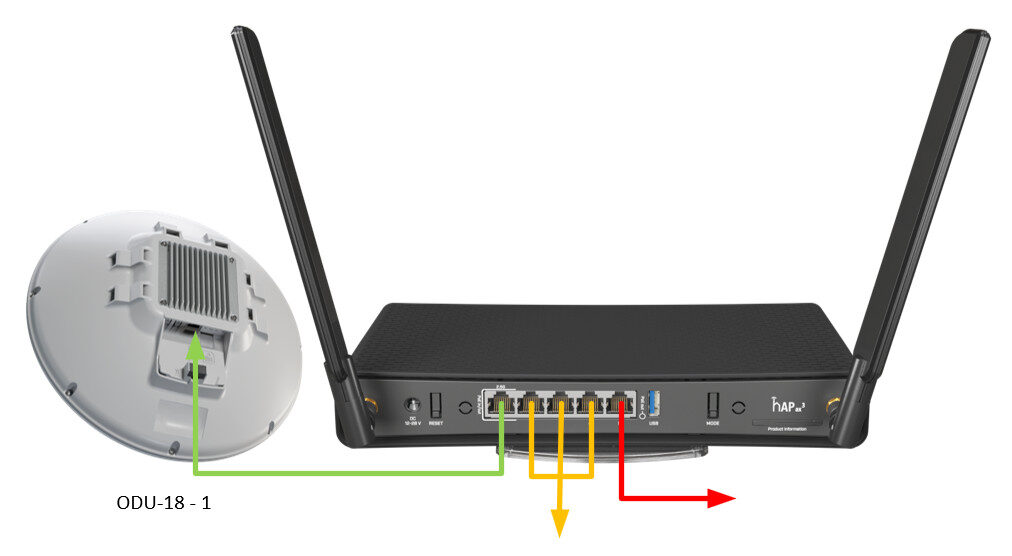
| SimRush AX3 | |
|---|---|
| Ether1 | ODU1 |
| Ether2 | LAN |
| Ether3 | LAN |
| Ether4 | LAN |
| Ether5 | AUX1 |
| PSU | 24v 1.2a |
