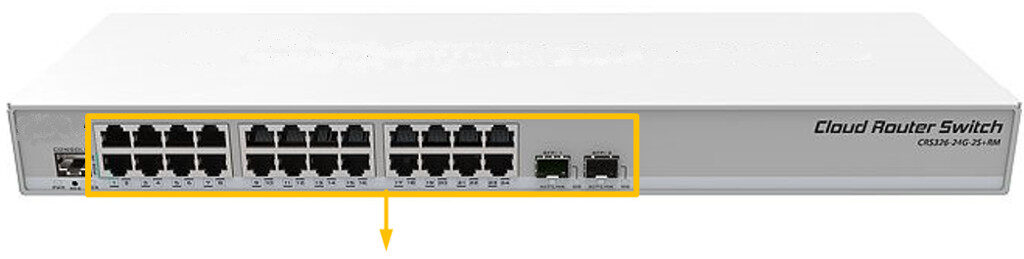
The E1 Enterprise Switch has 24 gigabit Ethernet ports and two SFP+ ports available.
The SFP cage supports both 1.25 Gb SFP and 10Gb SFP+ modules for ultrafast connectivity.
It gives you all the expected functionality of a managed switch and all of these additional features:
- manage port-to-port forwarding,
- apply MAC filter,
- configure VLANs,
- mirror traffic, apply
- bandwidth limitation and
- even adjust some MAC and IP header fields.
It’s perfect for any enterprise sized sites with complex technical requirements.
This switch comes in a 1U rackmount case and can be desktop or rack mounted for discrete installation in a comms cabinet.
Instructions:
The unit is preconfigured to connect to the SimRush Controller which will show its online status via SPanel.
- Unbox the access point and follow the cable guide below.
- Power the unit via the supplied PSU.
- Connect devices to switch as desired.
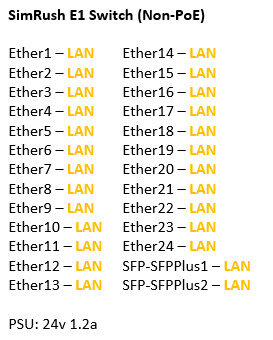
ℹ️ We would recommend using Port 1 as the “Uplink” port which connects back to the SimRush Controller.
Powering:
This unit is powered by 240v AC via a IEC cable to the built in PSU.
⚠️ This unit does not support PoE Output.
Cable Guide: