The Keystone jack is designed to be easy to terminate the end of a ethernet cable.
The tool-less design means you can terminate the cable without using any special crimping tools, such as the one you would use for a Ethernet cable.
Please follow the step by step guide below to terminate your Keystone Jack to your Ethernet cable
You will need:
Keystone jack
Ethernet cable
Wire cutters
Note: there are two variants of Keystone that we supply:
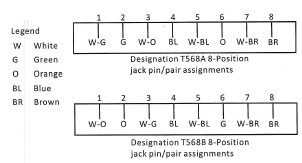
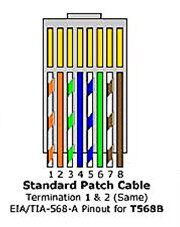
Cable Colour Codes
90 Degree Keystone
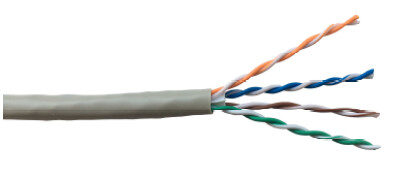
- Remove approximately 50mm of the cable sheath and separate the 4 pairs.
For Cat 6 cables carefully cut back the central plastic separator flush with the cable sheath.
2. Dress the wires in to the appropriate coloured slots on the jack following the preferred wiring configuration.
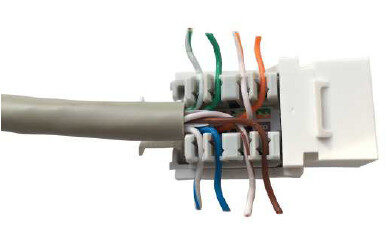
3. Cut the wires flush with the outside edge of the jack termination blocks.
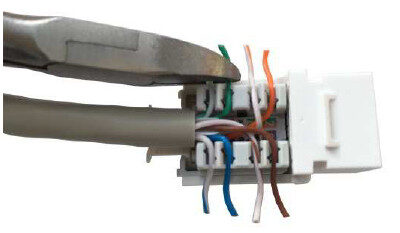
4. Fit the wire termination cap over the wires and press down to seat wires.
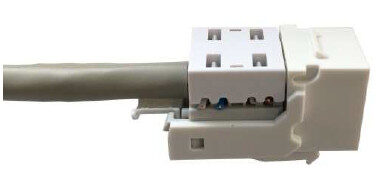
5. Locate the top cover in to the curved slots on the keystone jack body.
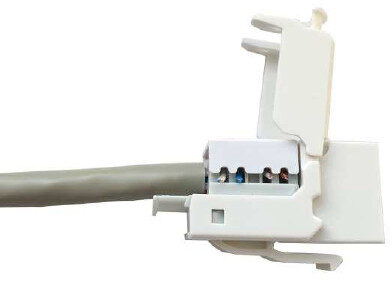
6. Close the rear cover of the jack.
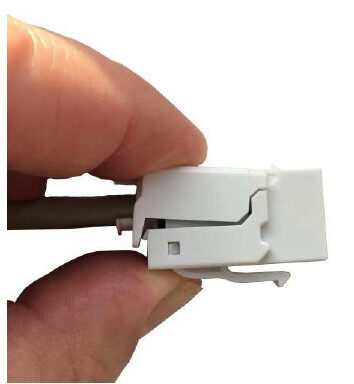
7. It should lock closed with an audible ‘click’.
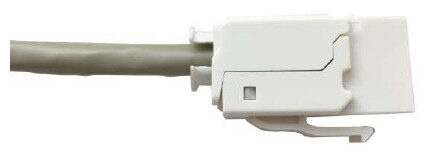
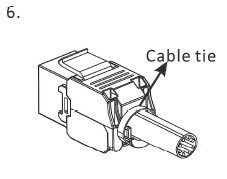
8. Secure the cable to the anchor point on the rear of the jack using the cable tie supplied taking care not to over tighten.
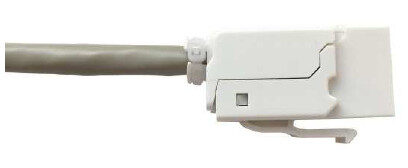
180 Degree Keystone
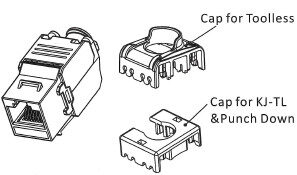
Below is the parts of the keystone
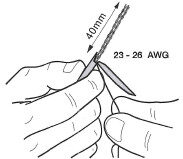
You will need to strip the cable outer jacket to expose the 4 twisted pairs (8 strands)
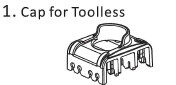
- Below is the cap for the toolless method that will be used to terminate the cable
2. Untwist the strands from the 4 pairs and ensure they are placed into the correct aligned slot, note there is colouring on the side of the cap which indicates the cable standard, the colours closest to the entry is the standard you are looking for, e.g. on one side the colours needed would be B standard.
Trim the excess strands.
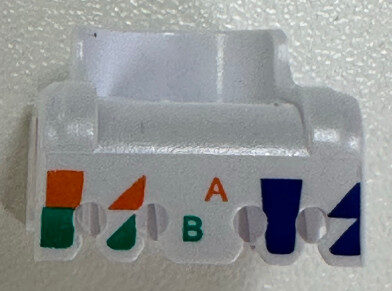
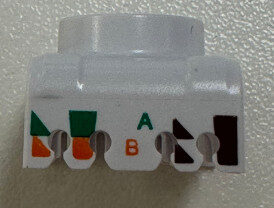
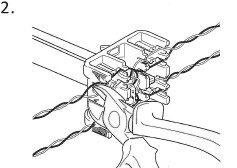
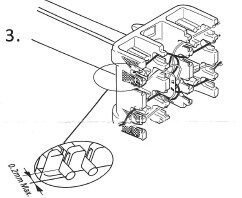
3. Ensure the cable strands are firmly placed into the holders.
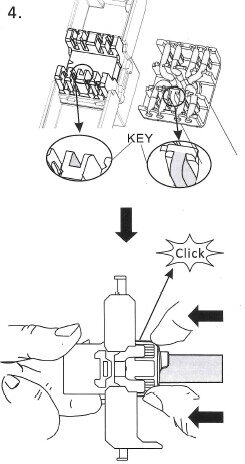
4. Note the “Key” to ensure cap is placed the correct way round. Press firmly which you should hear a Click.
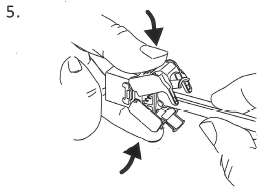
5. Close the outer “clam” onto the cable, ensuring you hear it click shut
6. Secure a cable tie around the base to keep the case closed