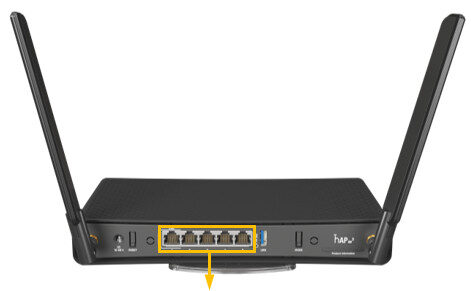
The AP One ax3 is part of the new line of WiFi-6 802.11ax access points.
Best placed in a home or office environment to utilise the dual band WiFi-6 AX wireless.
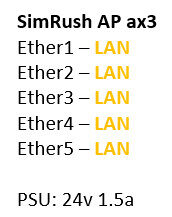
It has a integrated 5 port switch and can be powered either by powerpack or the 24v passive PoE IN on port 1.
This unit features connectorized antenna’s improving coverage by having higher gain antennas.
The unit can be desk or wall mounted. Mounting plate is included.
Instructions:
⚠️ The SimRush Access Points are centrally managed by the SimRush Controller and configured via the cloud management platform – SPanel. They are not stand alone wireless access points which requires a controller.
The unit is preconfigured to connect to the SimRush Controller which manages the wireless centrally via SPanel.
- Unbox the access point and follow the cable guide below
- Power the unit via the supplied PSU or via a PoE Switch
ℹ️ We would recommend using Port 1 as the “Uplink” port which connects back to the SimRush Controller. This port also a PoE-in port and can be powered by a compatible PoE Switch.
Cable Guide