The AP One2 provides dual chain, dual band WiFi via a 360-degree antenna beam. It’s ideal for getting WiFi to those hard-to-reach areas in your home or business.
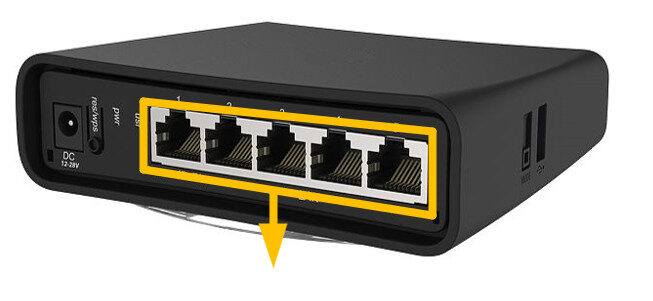
The 5 available LAN ports provide Gigabit connections for your wired devices too. Choose the AP One2 over the AP One, if you need extremely fast connections for your wired devices.
The universal case allows the unit to be positioned either horizontally (desktop) or vertically (tower case) to suit any environment. It can also be wall mounted for discrete installation.
The AP One2 can be powered from the power jack or with passive PoE from a PoE injector.
Instructions:
⚠️ The SimRush Access Points are centrally managed by the SimRush Controller and configured via the cloud management platform – SPanel. They are not stand alone wireless access points which requires a controller.
The unit is preconfigured to connect to the SimRush Controller which manages the wireless centrally via SPanel.
- Unbox the access point and follow the cable guide below
- Power the unit via the supplied PSU or via a PoE Switch
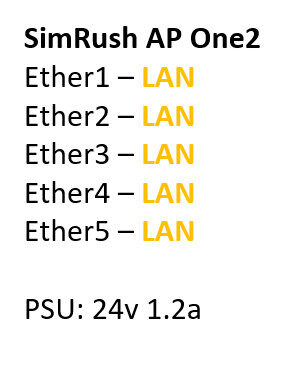
ℹ️ We would recommend using Port 1 as the “Uplink” port which connects back to the SimRush Controller. This port also a PoE-in port and can be powered by a compatible PoE Switch.
Cable Guide: