The cAP One+ provides dual chain dual band WiFi 360 degrees around it. It is designed to blend into its environment so can be wall or ceiling mounted for unobtrusive WiFi connectivity. Its sleek, circular design makes it the most visually appealing Access Point in our range and the ideal choice for a modern office or home environment.
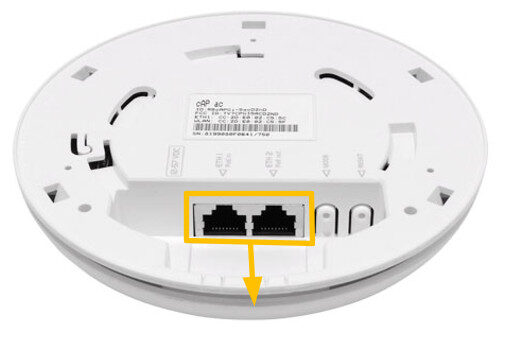
It has 2 Gigabit ethernet ports to provide you with the possibility of extending your network via cables even if PoE power is required. This is because the first port supports PoE input, and the second port has passive PoE output functionality (up to 57V) to power another device if required.
Instructions:
⚠️ The SimRush Access Points are centrally managed by the SimRush Controller and configured via the cloud management platform – SPanel. They are not stand alone wireless access points which requires a controller.
The unit is preconfigured to connect to the SimRush Controller which manages the wireless centrally via SPanel.
- Unbox the access point and follow the cable guide below
- Power the unit via the supplied PSU or via a PoE Switch
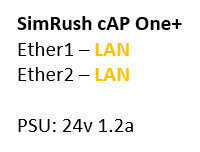
ℹ️ We would recommend using Port 1 as the “Uplink” port which connects back to the SimRush Controller. This port also a PoE-in port and can be powered by a compatible PoE Switch.
Cable Guide: