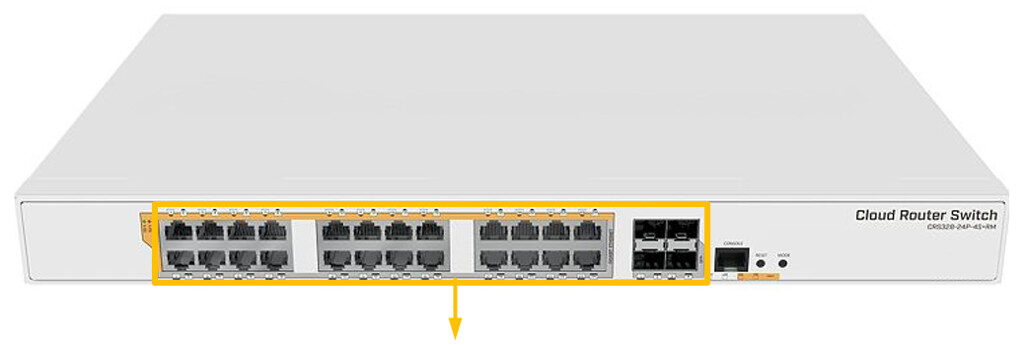
The E2 Enterprise Switch has 24 gigabit Ethernet ports and four SFP+ ports to provide connectivity options up to 10 Gbps via either optical fibre or Ethernet modules (not included).
It offers different power out options:
- passive PoE,
- low voltage PoE,
- 802.3af/at with autosensing.
The E2 comes in a 1U rackmount case for desktop or rack mounting.
It has a 100-240V AC 500W power supply built-in.
The device consumes up to 44W leaving a guaranteed 450W (3×150 W per every 8 Ethernet ports) to power your PoE devices.
Each port can provide up to 30W with high voltage, and 26 W with low voltage power output.
Instructions:
The unit is preconfigured to connect to the SimRush Controller which will show its online status via SPanel.
- Unbox the access point and follow the cable guide below.
- Power the unit via the supplied PSU.
- Connect devices to switch as desired.
ℹ️ We would recommend using Port 1 as the “Uplink” port which connects back to the SimRush Controller.
Powering:
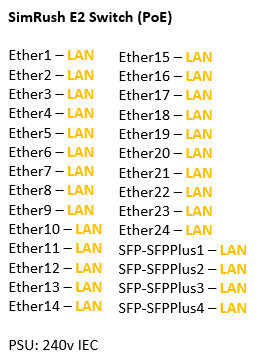
This unit is powered by 240v AC via a IEC cable to the built in PSU.
This unit supports PoE Output of 24v Passive and 48v 802.3af/at standards on all 24 ports.
Cable Guide: