The SimRush ODU 3-7 is the External element to the SimRush System which houses the carrier SIM card and LTE modem.
It is pre-configured out of the box and managed through the SimRush web portal SPanel.
To get online, simply plug in your SimRush Outdoor unit (ODU) into your SimRush Controller as instructed below.
⚠️ This unit is EOL / discontinued. It is no longer supported.
Instructions:
- Carefully open hatch of the ODU
- Connect the external grade ethernet cable into Ethernet Port 1 and plug the other end into your SimRush controller – as per your SimRush Controller Quick Start Guide.
- The pre-installed SIM should be in the Right SIM holder.
- Close the hatch and ensure that it has “clicked” shut to prevent the hatch from opening.
- Ensure you are connected to the SimRush Controller via Ethernet or WiFi.
- Using a browser, browse to http://172.16.1.1/
- Login details are, Username: installer , Password: blank (There is no password set)
- Once you have logged in, the main status page will show you the current carrier/APN information along with signal information
- Further information about the Outdoor unit settings can be found on the SimRush FAQ’s section of the SimRush website: SimRush: General FAQs | SimRush
One the setup is connected to the local mast, you can manage your SimRush controller as below
To make changes to the LAN address or Wireless settings Please follow the IDU guide
Cable Guide:
Outdoor unit may vary from that of image, but port to put the ethernet cable in remains the same

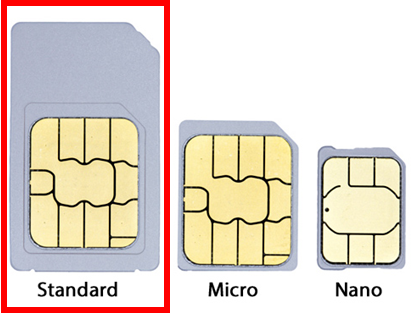
SimRush ODU 3-7 SIM card size