The wAP One+ provides dual chain dual band WiFi for concurrent coverage which will solve most interference issues in a crowded environment. It also features a large RAM memory and a powerful quad core CPU to allow for efficient processing to improve the device’s performance.
It can be fixed to any external wall from the inside of the case so that it is securely attached to its mounting location. It is also possible to run the Ethernet cable directly behind the unit, to inside the wall as there is a special opening on the back of the case.
This way, the unit doesn’t attract attention and blends into any environment.
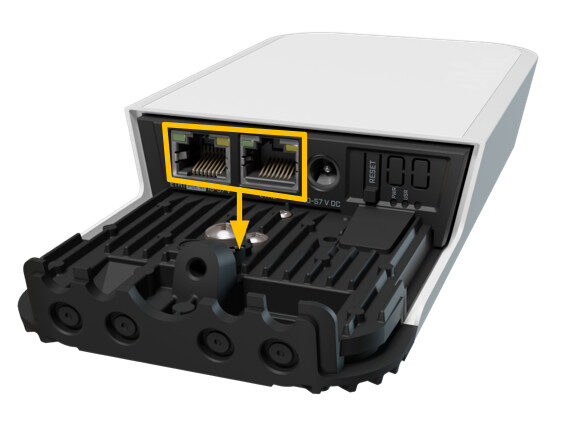
There are 2 Gigabit ethernet ports available with one having PoE output functionality to power another device. The wAP One+ can be pole, wall or ceiling mounted and looks unobtrusive and sleek in any business or home.
Instructions:
⚠️ The SimRush Access Points are centrally managed by the SimRush Controller and configured via the cloud management platform – SPanel. They are not stand alone wireless access points which requires a controller.
The unit is preconfigured to connect to the SimRush Controller which manages the wireless centrally via SPanel.
- Unbox the access point and follow the cable guide below
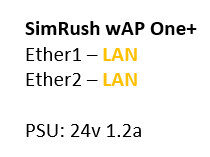
- Power the unit via the supplied PSU or via a PoE Switch
ℹ️ We would recommend using Port 1 as the “Uplink” port which connects back to the SimRush Controller. This port also a PoE-in port and can be powered by a compatible PoE Switch.
Cable Guide: